Scenario:
A customization package was required to be deployed in the Dynamics 365 Finance & Operations virtual machine (VM). The deployment was performed using the AXUpdateInstaller u tility following standard Microsoft-recommended practices to ensure successful installation without service conflicts.
Pre-Deployment Preparation:
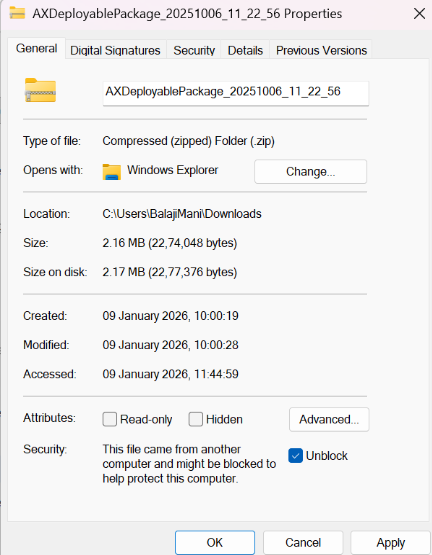
To avoid file blocking and deployment delays, the package ZIP file was downloaded directly into the VM rather than copied from a local machine.
- The ZIP file’s properties were checked, and the Unblock option was selected to remove Windows security restrictions.
- The package was extracted and renamed with a meaningful folder name for easy identification.
- The system path
C:\AOServices\LocalPackageDirectory
was reviewed to ensure that no previous version of the same module existed.

Issue Encountered
During the validation step, the system reported that the module was already in use and could not be deleted.
Corrective Actions
To resolve the issue:
- The following services were temporarily stopped:
- Batch Service
- Data Import/Export Framework
- World Wide Web Publishing Service (IIS)
- All running temporary processes were cleared by deleting files from the %temp% directory.
- The VM was restarted to release locked resources.
After the restart, the existing module was successfully removed.
Deployment Execution Steps:
The Command Prompt was opened in Run as Administrator mode, and the directory was changed to the package folder:
| CD C:\Temp\ ModulePackage |
The following commands were executed sequentially:
- Generate Runbook:
| AXUpdateInstaller.exe generate -runbookid=”ModulePackage1.0.xml” -topologyfile=”DefaultTopologyData.xml” -servicemodelfile=”DefaultServiceModelData.xml” -runbookfile=” ModulePackage 1.0.xml” |

- Import Runbook
| AXUpdateInstaller.exe import -runbookfile=” ModulePackage1.0.xml” |

- Execute Deployment
| AXUpdateInstaller.exe execute -runbookid=” ModulePackage1.0″ |

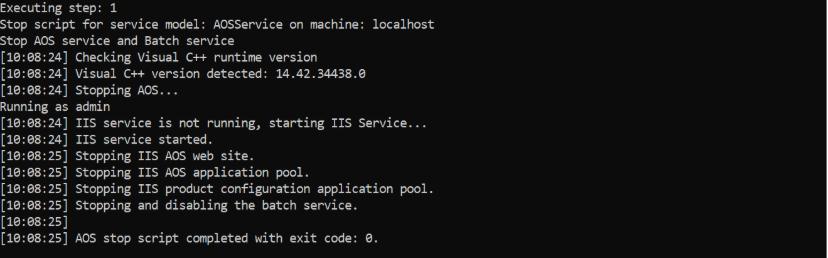
Fig: Command prompt commands to deploy the package
- (Optional) Export Runbook
| AXUpdateInstaller.exe export -runbookid=” ModulePackage1.0″ -runbookfile=” ModulePackage1.0.xml” |
- Rerun from a Specific Step (if required)
| AXUpdateInstaller.exe execute -runbookid=” ModulePackage1.0″ -rerunstep=7 |
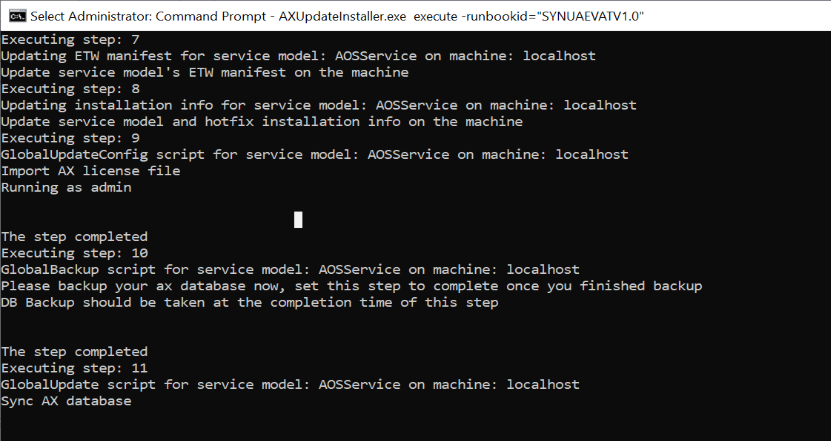
Fig: The steps while deployment of package in cmd
Outcome
- The package was deployed successfully without further errors.
- All services were restarted and validated.
- Application functionality confirmed to be working as expected.
Preventive Recommendation
To reduce deployment time and avoid file transfer issues:
- Always download deployment packages directly within the VM.
- Ensure services are stopped before deleting existing modules.
- Maintain consistent naming for runbook and package folders.