How to Automate Hour Journal Creation in D365 F&O
Scenario:
Automate the creation and posting of an Hour Journal, where the system automatically generates the journal along with all required hour lines, populates the necessary project, resource, and transaction details, performs the required validations, and completes the posting process seamlessly without any manual intervention.
High Resolution Steps:
- Initiating the creation and posting process, and generating and validating the journal header details before insertion.
- Initialize journal line values using the header data, populate all required fields, and insert the records into the journal lines.
- Validate whether the data is eligible for posting, and upon successful validation, proceed with posting the journal.
Detailed Resolution Steps:
Step 1: Initiating the creation and posting process and generating the header journal data
1.1: Runnable class creation, global level variable declaration, and journal creation and posting logic initiation.
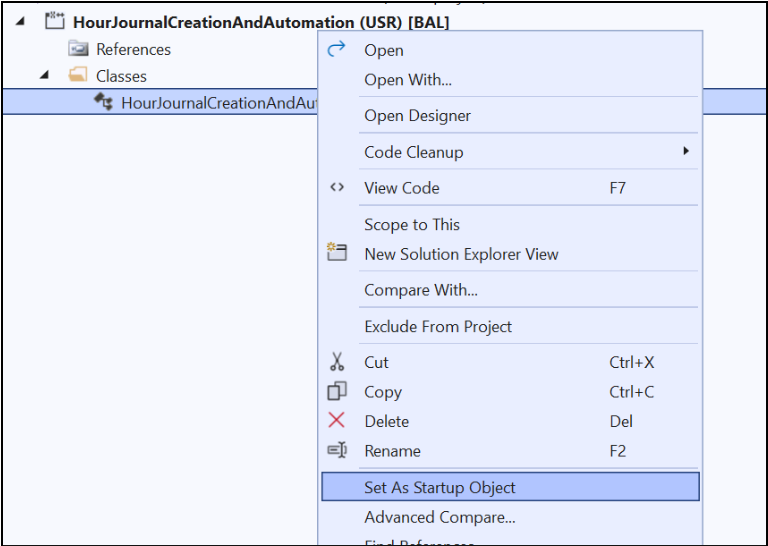
- Create a runnable class and set it as the project.
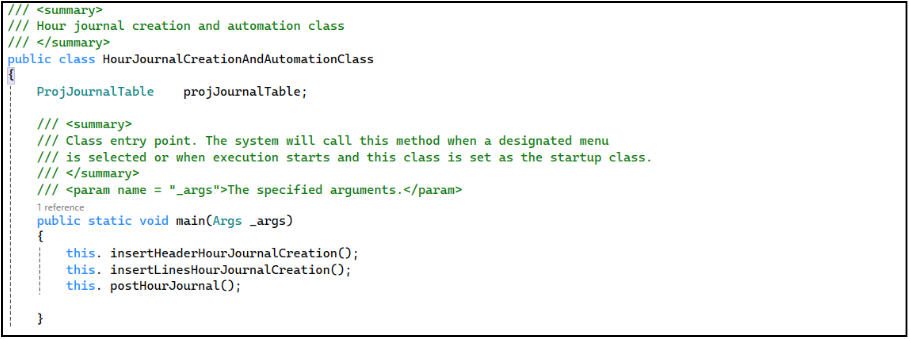
| /// <summary> /// Hour journal creation /// </summary> public class HourJournalCreationAndAutomation class { ProjJournalTable projJournalTable; public void main() { this. insertHeaderHourJournalCreation(); this. insertLinesHourJournalCreation(); this. postHourJournal(); } |
- The class HourJournalCreationAndAutomationClass automates the creation of Hour Journals by generating the journal header and inserting the required journal lines.
- It controls the overall process flow by executing header creation, line insertion, and automatic posting of the Hour Journal in sequence.
1.2: Generate the header journal data
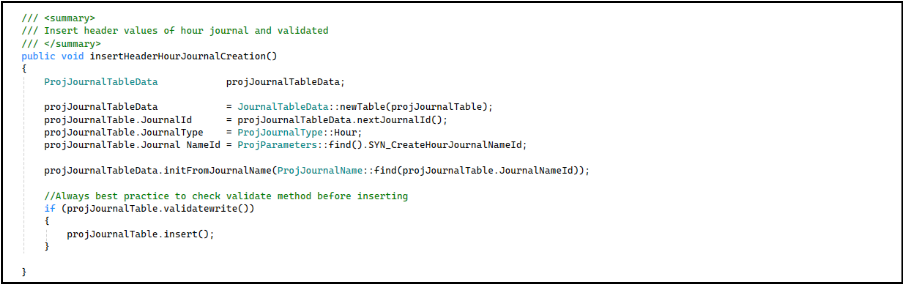
| /// <summary> /// Insert header values of hour journal and validated /// </summary> public void insertHeaderHourJournalCreation() { ProjJournalTableData projJournalTableData; projJournalTableData = JournalTableData::newTable(projJournalTable); projJournalTable.JournalId = projJournalTableData.nextJournalId(); projJournalTable.JournalType = ProjJournalType::Hour; projJournalTable.Journal NameId = ProjParameters::find().EmplJournalNameId; projJournalTableData.initFromJournalName(ProjJournalName::find(projJournalTable.JournalNameId)); //Always best practice to check validate method before inserting if (projJournalTable.validatewrite()) { projJournalTable.insert(); } } |
- Initializes the Hour Journal header by creating a journal table instance, generating the next Journal ID, setting the Journal Type as Hour, and assigning the Journal Name from Project Parameters.
- Populates default journal header values using the selected Journal Name configuration to ensure all required header details are initialized correctly.
- Validates the journal header using validateWrite() and inserts the record into the ProjJournalTable upon successful validation.
Step 2: Insert the data in journal lines
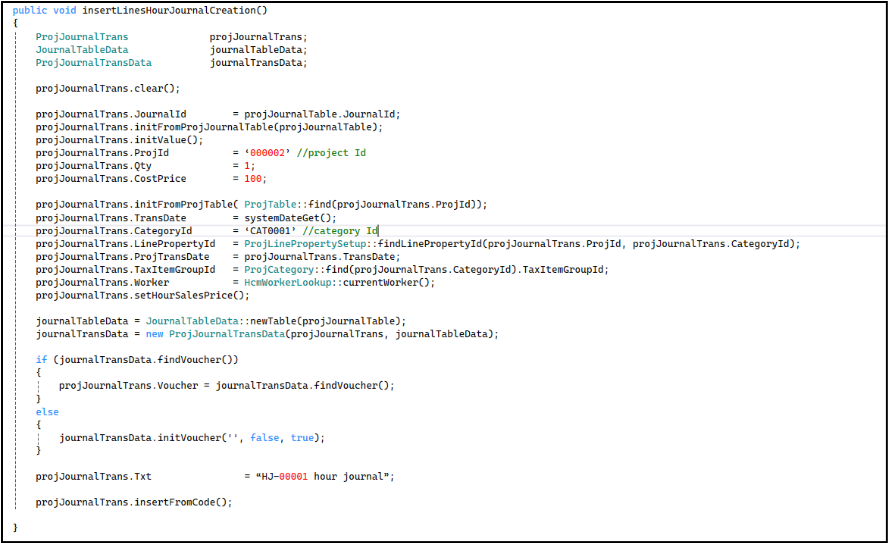
| /// <summary> /// Insert hour journal lines /// </summary> /// public void insertLinesHourJournalCreation() { ProjJournalTrans projJournalTrans; JournalTableData journalTableData; ProjJournalTransData journalTransData; projJournalTrans.clear(); projJournalTrans.JournalId = projJournalTable.JournalId; projJournalTrans.initFromProjJournalTable(projJournalTable); projJournalTrans.initValue(); projJournalTrans.ProjId = ‘000002’ ; //project Id projJournalTrans.Qty = 1; projJournalTrans.CostPrice = 100; projJournalTrans.initFromProjTable( ProjTable::find(projJournalTrans.ProjId)); projJournalTrans.TransDate = systemDateGet(); projJournalTrans.CategoryId = ‘CAT0001’ //category Id projJournalTrans.LinePropertyId = ProjLinePropertySetup::findLinePropertyId(projJournalTrans.ProjId, projJournalTrans.CategoryId); projJournalTrans.ProjTransDate = projJournalTrans.TransDate; projJournalTrans.setHourSalesPrice(); projJournalTrans.TaxItemGroupId = ProjCategory::find(projJournalTrans.CategoryId).TaxItemGroupId; projJournalTrans.Worker = HcmWorkerLookup::currentWorker(); journalTableData = JournalTableData::newTable(projJournalTable); journalTransData = new ProjJournalTransData(projJournalTrans, journalTableData); if (journalTransData.findVoucher()) { projJournalTrans.Voucher = journalTransData.findVoucher(); } else { journalTransData.initVoucher(”, false, true); } projJournalTrans.Txt = “HJ-00001 hour journal”; projJournalTrans.insertFromCode(); } |
- Declares ProjJournalTrans, JournalTableData, and ProjJournalTransData objects to handle journal line creation, header linkage, and voucher generation.
- Clears the ProjJournalTrans buffer to ensure no previous values exist before initializing a new journal line.
- Assigns the JournalId from the created journal header and initializes line values using initFromProjJournalTable() to inherit header-related settings.
- Calls initValue() to populate default values required for the journal line creation.
- Sets the required project-related values.
- Retrieves project-related defaults using initFromProjTable() based on the provided ProjId, ensuring correct project configuration is applied.
- Set Transaction and Category Details.
- Calculates the hour sales price using setHourSalesPrice(), assigns the TaxItemGroupId based on the selected project category, and sets the Worker field using the currently logged-in worker.
- Creates journal header linkage using JournalTableData and ProjJournalTransData, then:
- Attempts to fetch an existing voucher
- If not available, initializes a new voucher. This ensures each transaction has a valid voucher number.
- Calls insertFromCode() to insert the journal line into ProjJournalTrans.
Step 3: Validate and post the journal created

| /// <summary> /// Posting logic for hour journals /// </summary> public void postHourJournal() { ProjJournalCheckPost projJournalCheckPost; projJournalCheckPost = ProjJournalCheckPost::newJournalCheckPost(true,true,JournalCheckPostType::Check,tableNum(ProjJournalTable), projJournalTable.JournalId); projJournalCheckPost = ProjJournalCheckPost::newJournalCheckPost(true,true,JournalCheckPostType::Post,tableNum(ProjJournalTable), projJournalTable.JournalId); projJournalCheckPost.run(); } |
- Declares an object of ProjJournalCheckPost, which is responsible for validating and posting the Hour Journal.
- Creates an instance of ProjJournalCheckPost using JournalCheckPostType::Check to validate the journal before posting.
This step ensures that all required fields and journal details are correct and eligible for posting.
- Recreates the ProjJournalCheckPost instance using JournalCheckPostType::Post to prepare the journal for posting after successful validation.
- Calls the run() method to execute the posting process, which posts the Hour Journal and updates its status in the system.
Output:
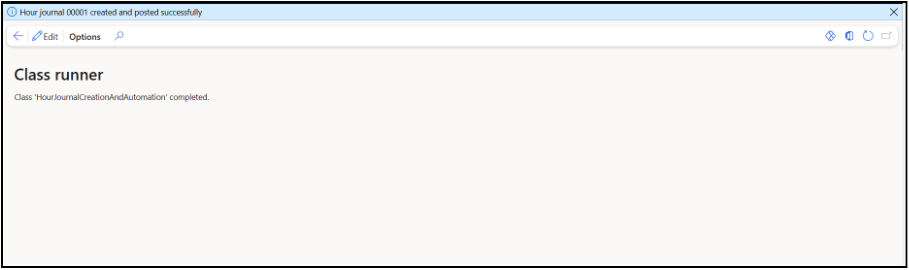
- Start the project
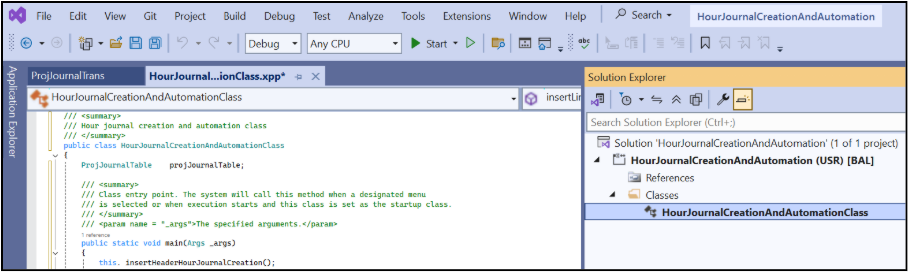
Output message that the hour journal was posted
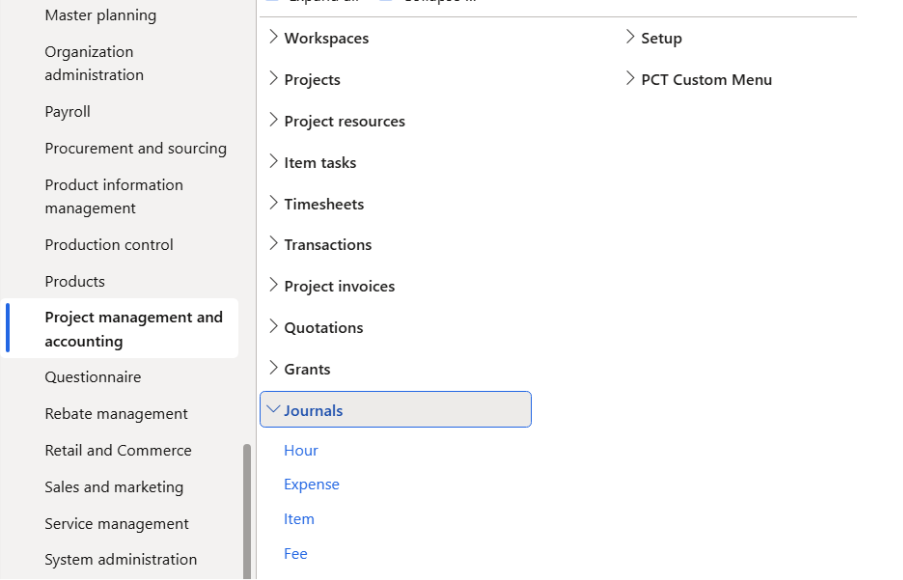
- Navigation to check the created hour journal
Project management and accounting >> Journals >> Hour
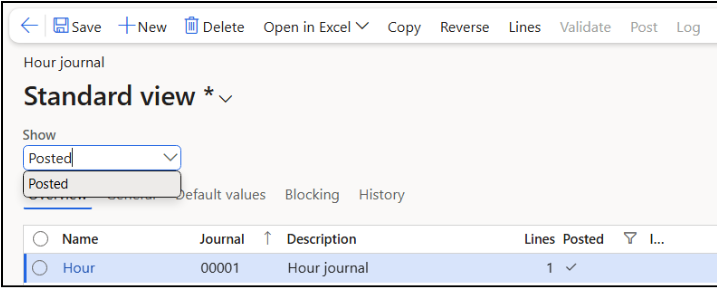
Header level:
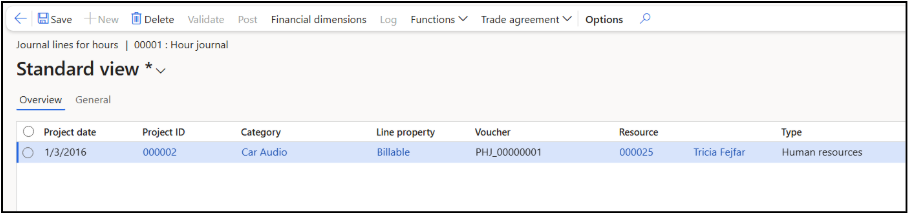
Line level: