
Introduction
When building enterprise-grade flows, especially with Dynamics 365 or Dataverse,
Lookups often determine critical branching logic. To avoid failures or inconsistency
results, it’s important to construct robust lookups that:
- Validate lookup values before use
- Handle null scenarios gracefully
- Use meaningful variables
- Avoid assumptions that every lookup will return a record
Detailed resolution steps
Step 1: Initialize a Variable
Start by initializing a variable account. This will later hold the matching account record
(or null if not found)
Name: account
Type: Object (or String, depending on what you’re storing)
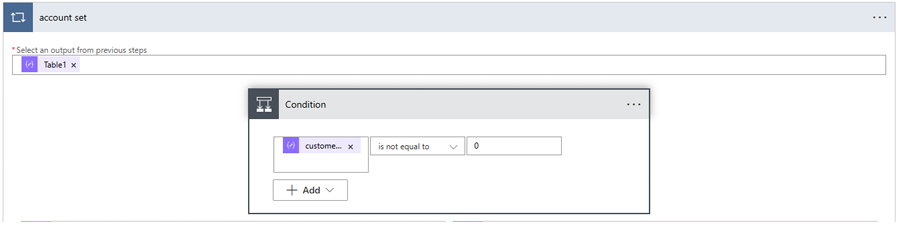
Step 2: Set a Condition to Check if Customer Number Exists
In this case, I am adding a loop and calling my datasource, which is in JSON format.
And CustomerNumber is from the same JSON
- Condition: customerNumber is not equal to 0
If true, proceed to the next step.
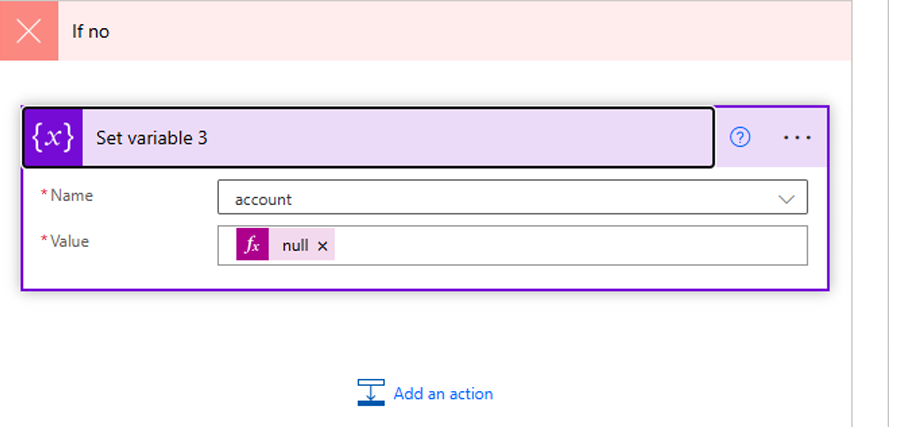
If false, directly set the account to null:
Do it as seen in the below picture
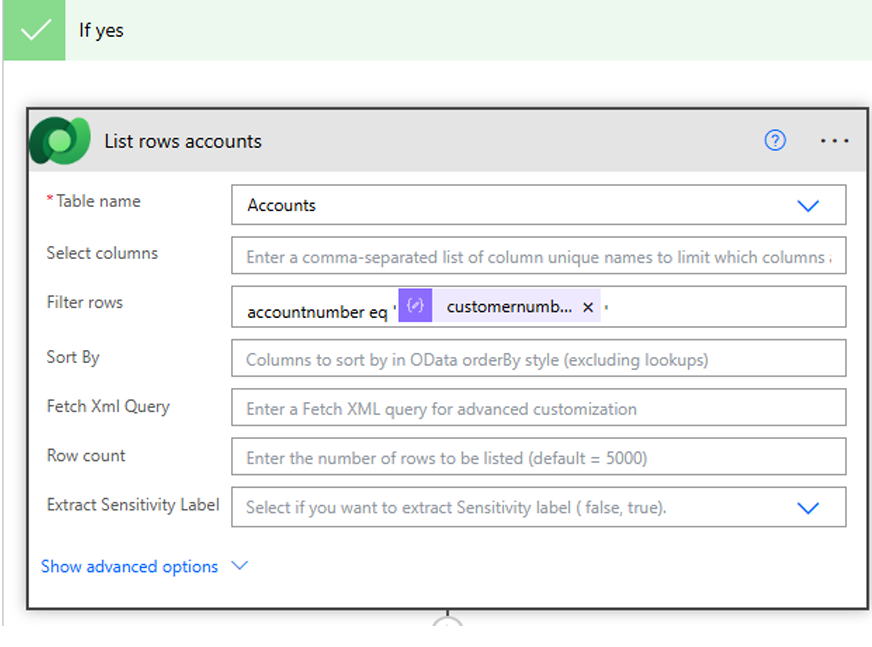
Step 3: List Rows from Accounts Table
Use List Rows with a filter query to fetch the relevant record.
- Table Name: Accounts
- Filter Query:
accountnumber eq ‘@{items(‘Table1’)?[‘customernumber’]}’
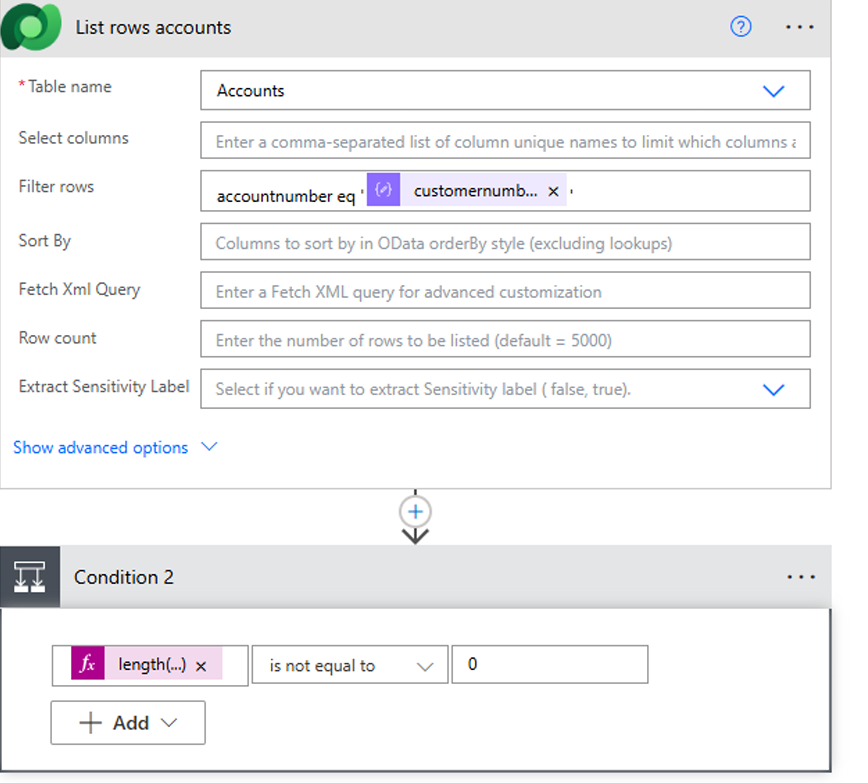
Step 4: Check if a Record was found
Immediately after the query, add a second condition:
- Expression: length(body(‘List_rows’)?[‘value’]) is not equal to 0
This ensures that your flow doesn’t assume a record exists — it verifies the presence
explicitly.
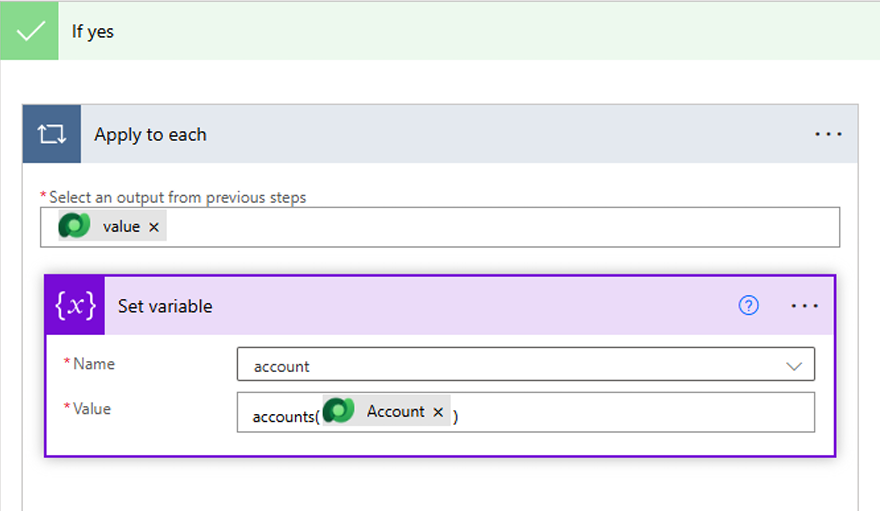
Step 5: Assign Value to Variable (If Found)
If the record exists, loop through the result (usually one item) and assign it to the
variable:
- Inside Apply to each on value array:
o Use Set Variable action
o Value: items(‘Apply_to_each’)?[‘accountid’] or any other needed field
Step 6: Handle the ‘Not Found’ Scenario
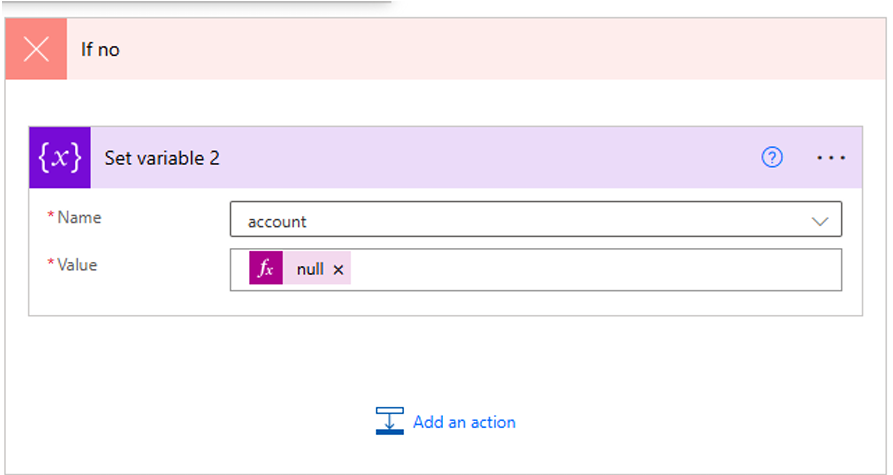
If no record is returned, assign null to the variable explicitly.
This ensures that downstream logic can handle missing lookups cleanly — preventing
null reference errors or faulty data assumptions.
Output:
If the account exists in the master table, then the variable will be set with the actual data
If not, it will be set to null.
This variable you can use it in further steps where it demands for lookup.