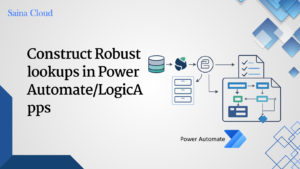
Construct Robust lookups in Power Automate/LogicApps

Introduction When building enterprise-grade flows, especially with Dynamics 365 or Dataverse,Lookups often determine critical branching logic. To avoid failures or inconsistencyresults, it’s important to construct robust lookups that: Detailed resolution steps Step 1: Initialize a VariableStart by initializing a variable account. This will later hold the matching account record(or null if not found)Name: accountType: Object […]

How to Call a Flow on the Click of a Button in Model-Driven Apps Using Power FX

Introduction To directly call a Power Automate flow on the click of a button in a model-driven app, this blog will walk you through how to call flow on button click in model-driven app using Power FX. High level resolution steps For this functionality, we make use of the Ribbon Workbench, and a trigger action […]

How to Convert CSV to JSON Using Power Automate

To Convert CSV File to JSON using Power Automate and use it in Dataverse or PowerApps for further processing High level resolution steps We use Power Automate to ease the process of converting a plain CSV file into JSON format Detailed resolution steps Step 1: In the Initial Step, use the trigger as you wish […]

How to Duplicate a Record Using Power Automate Flow in Model-Driven Apps

To Duplicate a record using Power Automate Flow in Model-driven app High level resolution steps We make use of a button in the main grid in the front end, and on click of it, Power Automatecatches the unique record and processes to duplicate the values and create a new record. Detailed resolution steps Step 1: […]

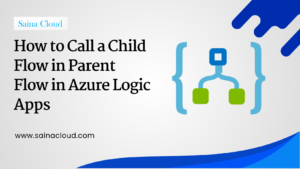
How to Call a Child Flow in Parent Flow in Azure Logic Apps

How to Call a Child Flow in Parent Flow in Azure Logic Apps Imagine you are managing an e-commerce platform, and a payment gateway integration is critical for processing customer orders. However, due to intermittent network issues, the payment API occasionally fails. To address this, you implement a robust mechanism using Azure Logic Apps.  High […]

How to send Power Apps (Dataverse) Data to Dynamics 365 F&O

To send the data available in Dataverse table to Microsoft Dynamics 365 using Power Automate. High level resolution steps Usage of “Create Record” Action from Finops in power automate helps to map the data fromDataverse tables. Detailed resolution steps Step 1: Use any kind of trigger as you wish to trigger the flow Step 2: […]

Barcode scanner in Canvas app

If any kind of asset had to be counted in few organizations, they do it manually. Instead, they canuse the barcode scanner with the help of canvas app and record the assets in a faster pace. High level resolution steps Detailed resolution steps Step 1: Insert a media control type called as “Barcode reader” in […]

How to get Data from Amazon S3 Bucket using Power Automate

To Get Amazon S3 Data into PowerApps we need to make use of Power Automate High level resolution steps Using List Objects and Buckets action in Power Automate we can pull data from Amazon S3 toDataverse tables in PowerApps. Detailed resolution steps Step 1: Using any action to trigger the flow in the beginning, in […]

Configure Mobile Offline Profiles for Canvas App Offline

We keep getting SQL error with error Code (-2147015414) when we try to use the canvas app inoffline mode specifically when you have Relationship between tables. High level resolution steps Detailed resolution steps Step 1: Create an offline profile by navigating to https://admin.powerplatform.microsoft.com/ Step 2: Navigate to the environment where your app is being developed. […]