
Introduction
In this blog, we will learn how to resolve service unavailable Error in UI
Problem statement
How to resolve the ” service unavailable error in the browser(UI) in a cloud-hosted environment.

High-level resolution steps
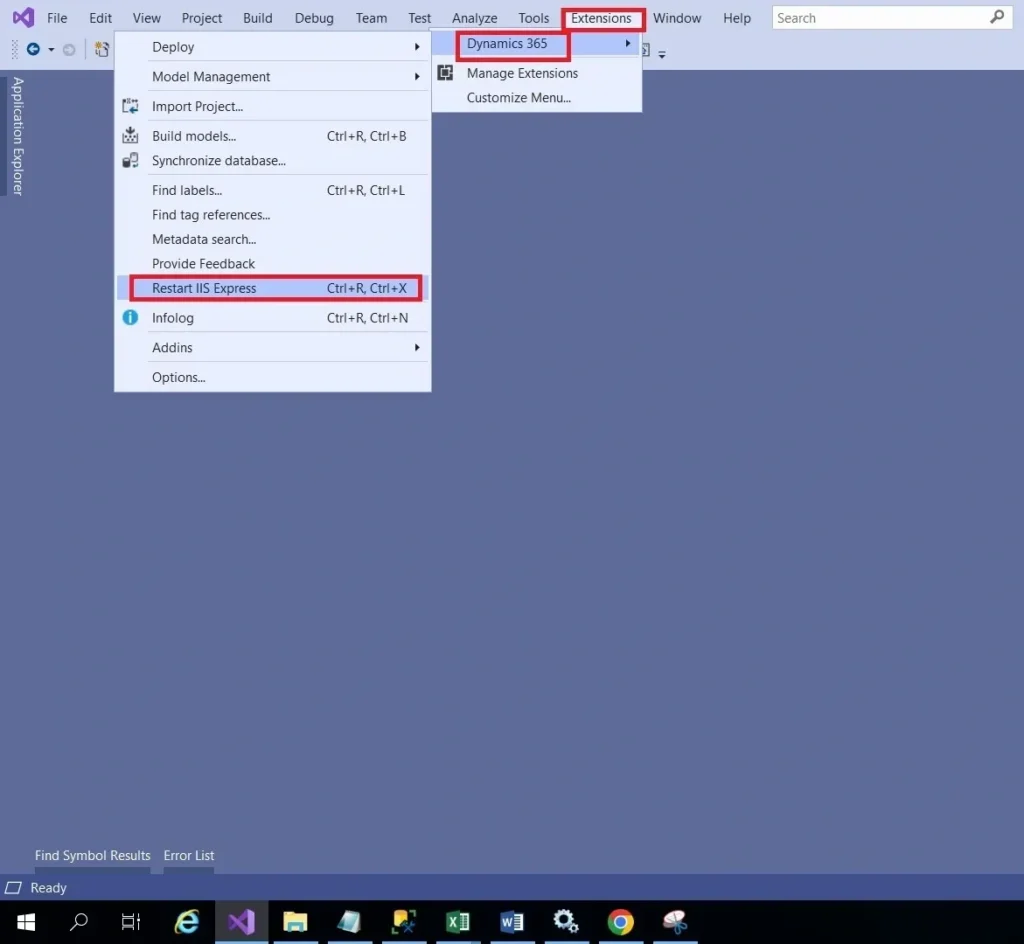
The above problem can be solved by restarting the IIS in Visual Studio or by running the iisreset command in the command prompt.
Detailed resolution steps
Restart the IIS in Visual Studio.
- Select the Windows Start icon.
- In the search box, type cmd.
- Right-click on Command Prompt and select Run as administrator. …
- At the command prompt, type IISRESET.
- Press Enter.
- When Internet services successfully restarted appears, type exit.
- Press Enter.

Note: Please check whether the services like IIS Admin Service, MSD Unified Operations: Batch Management Services, Data IE Framework Services, Reporter Services, and Web services are in a running state.