Power Apps

Spinner in Canvas App
Problem Statement When a user submits the form, the data is successfully saved in the backend; however, no visual indication is displayed on the screen. This lack of feedback may

Problem Statement When a user submits the form, the data is successfully saved in the backend; however, no visual indication is displayed on the screen. This lack of feedback may
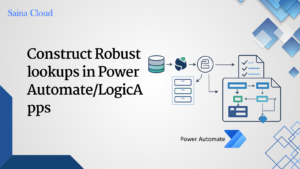

Introduction When building enterprise-grade flows, especially with Dynamics 365 or Dataverse,Lookups often determine critical branching logic. To avoid failures or inconsistencyresults, it’s important to construct robust lookups that: Detailed resolution

Introduction To directly call a Power Automate flow on the click of a button in a model-driven app, this blog will walk you through how to call flow on button


How to Override Map Entity to Data Source in D365 F&O MapEntityToDatasource(): It maps the fields from the staging table to the data source used in the entity. Used more

To Convert CSV File to JSON using Power Automate and use it in Dataverse or PowerApps for further processing High level resolution steps We use Power Automate to ease the

How to Configure Business Events in D365 Using Power Automate? Introduction: Business Events in Dynamics 365 allow you to trigger external processes or workflows based on specific business actions, like


Error: Authz: cross company filter has no companies. User roles: User: {6773ED9F-DE1B-4EDD-94A3-561265423BD0} Company: Id: 7 Name: SYSTEMUSER Id: 260 Context: AuthzContext rlsEnabled: false rlsExplicit: false includeDerived: true autoAuthzMode: None autoAuthzSCsc:

How to convert UTC Date Time to String using X++? Purpose: Whenever a user creates a record with a UTC Date Time value, the exact time may not be displayed