A developer needs to access the current Args buffer to determine the menu item name within an
object method in a dialog class. The Args buffer is currently accessible only in the main() method of
the class.
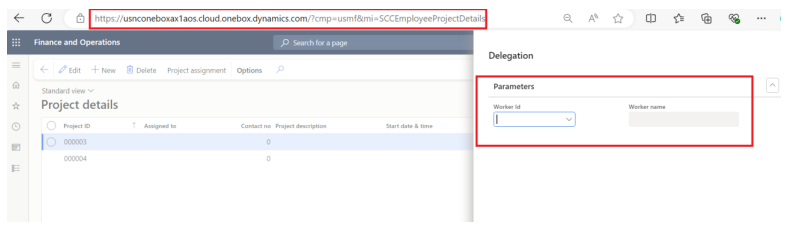
Scenario: The requirement is to display the “Worker Name” field on a dialog screen only when
opening the form through the “Project Details” menu item. However, the field should not be visible
when accessing the same form through another menu item, such as “Project Table”.
High level resolution steps
- Calling main() Method from Form Clicked Method.
- Passing Args in main() Method
- Implementing parmArgs Method
- Accessing Menu Item Name in Object Method
- Conditional Visibility Based on Menu Item Name
Detailed resolution steps
Steps 1: Navigate to the form’s clicked method, calling the dialog class’s main() method and pass
“element.args” as a parameter.
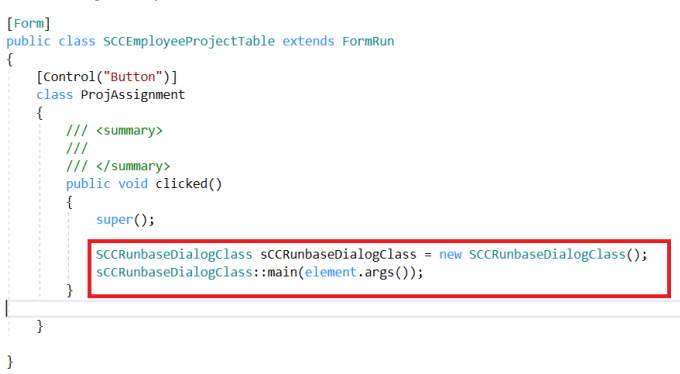
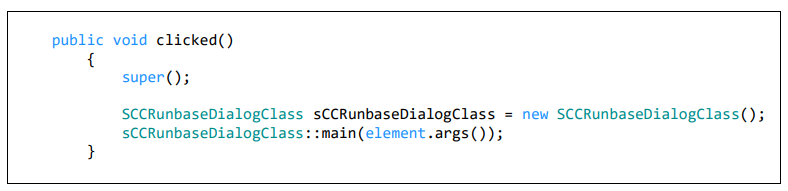
Code Explanation:
- Dialog Instance: Creates a new instance of SCCRunbaseDialogClass, a dialog class.
- Static Method Call: Calls the static main() method of SCCRunbaseDialogClass.
- element.args() passes current arguments to initialize the dialog.
- Purpose: This method (clicked()) handles UI button clicks or similar events. It initializes and
starts the dialog process (SCCRunbaseDialogClass) with the current context’s arguments
(element.args()).
Steps 2: Create a new method (parmArgs) in the dialog class to facilitate setting and retrieving the args
parameter.
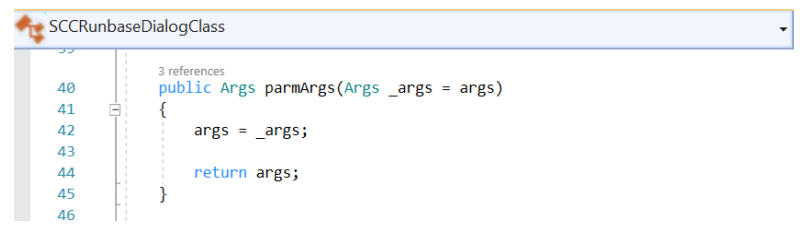
Code Explanation:
- ‘parmArgs(Args _args = args):This method allows setting and retrieving arguments (Args) for
the class. - return args = _args;: Sets args to _args and returns args, providing a way to manage
argument values effectively within the class.

Steps 3: Call the parmArgs() method from main method and pass the args.
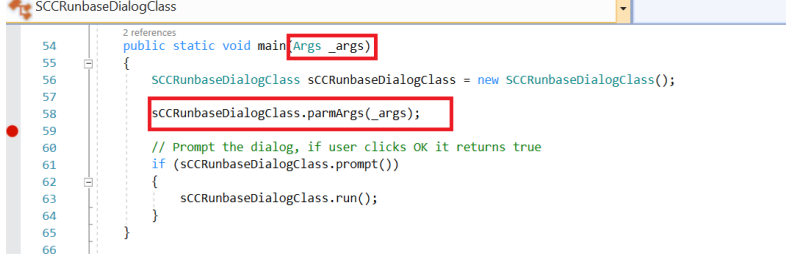
Code Explanation:
- Dialog Initialization: Creates a new instance of SCCRunbaseDialogClass.
- Setting Arguments: Passes _args to the dialog instance using parmArgs(_args). This prepares
the dialog with initial data or settings.

Steps 4: Within the object method of the dialog class, utilize the parmArgs method to retrieve args and
determine the current menu item name.
Implement a condition in the object method to check if the menu item name is “Project details”. If
true, make the “Worker Name” field visible on the dialog screen.
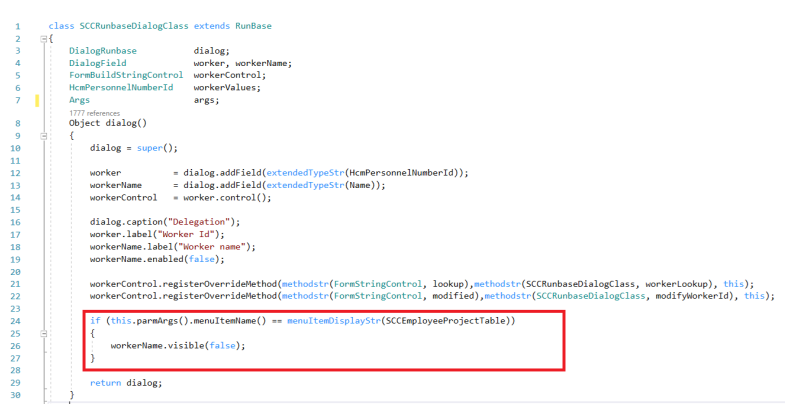
Code Explanation:
- Condition Check:
if (this.parmArgs().menuItemName() == menuItemDisplayStr(SCCEmployeeProjectTable)):
Checks if the current menu item name is “SCCEmployeeProjectTable”. - Set Visibility:
workerName.visible(false);: Sets the visibility of the workerName field to false (hides it) if
the condition is met.

Output:
Scenario 1: In this scenario, the requirement is to ensure that when the form is opened from the
“Project Information” menu item and a button is subsequently clicked, the “Worker’s Name” field should
not be visible.
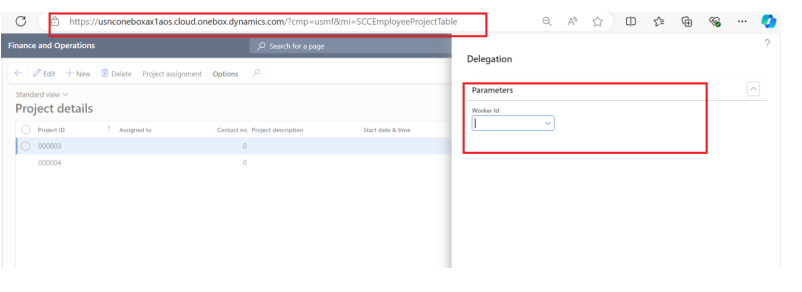
Scenario 2: In this scenario, when the form is opened from the “Project Details” menu item and a button
is clicked, the “Worker’s Name” field should be visible.