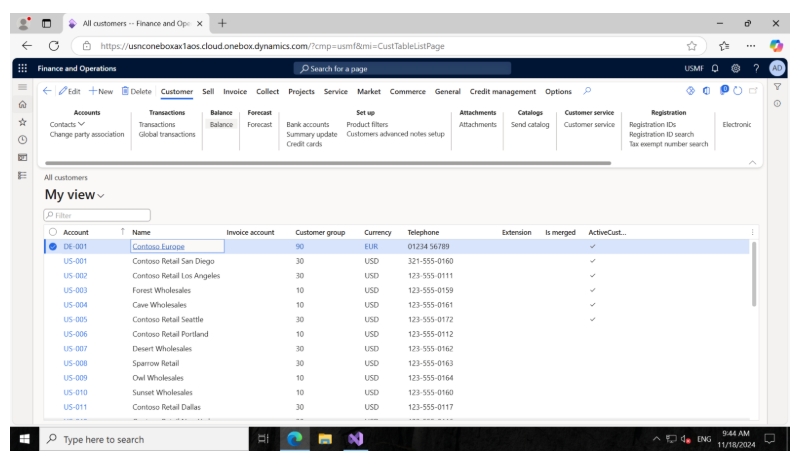
You need to enable or disable a button on a standard form based on certain conditions, such as:
Introduction:
In X++, enabling or disabling buttons in a standard form (also known as a form or a dialog in Dynamics AX/365) is typically done by manipulating the button’s properties within the form’s code. This can be done by using the control methods available in the form’s data or UI elements.
- Enabling or disabling a button based on the user’s role.
- Enabling or disabling a button when certain fields meet specific conditions (e.g., enabling a “Confirm” button only when the invoice status is “Open”).
- Enabling or disabling a button when certain business logic is satisfied or based on a dynamic value.
High level resolution steps
- Identify the button on the form you want to control (enable/disable).
- Write X++ code to implement the logic for enabling/disabling the button based on the conditions.
- Place the X++ code in the appropriate method (e.g., formDataSource.modified, formRun.init, etc.) to ensure the button behavior is updated when necessary.
- Test the functionality to make sure the button is enabled/disabled based on the defined conditions
Detailed resolution steps
Step 1: Create a generic method to retrieve the user in the workflow type event handler class.
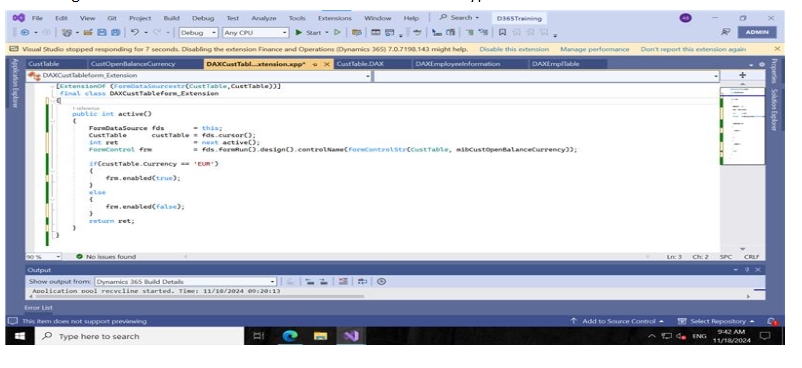
Code snippet:
[ExtensionOf (FormDataSourcestr(CustTable,CustTable))]

final class DAXCustTableform_Extension

{

    public int active()

    {

        FormDataSource fds       = this;

        CustTable      custTable = fds.cursor();

        int ret                  = next active();

        FormControl frm          = fds.formRun().design().controlName(formControlStr(CustTable, mibCustOpenBalanceCurrency));


        if(custTable.Currency == 'EUR')

        {

            frm.enabled(true);

        }

        else

        {

            frm.enabled(false);

        }

        return ret;

    }

}
Code Explanation:
- FormDataSource fds: Represents the data source of the CustTable form.
- Retrieve current record (custTable): fds.cursor() fetches the current customer record.
- Control Reference (frm): Gets the form control for the mibCustOpenBalanceCurrency field on the form.
- Logic:
- If the customer’s currency is ‘EUR’, the control is enabled (frm.enabled(true)).
- If the currency is not ‘EUR’, the control is disabled (frm.enabled(false)).
- Return: Calls the original active() method and returns its result (ret), ensuring the base behavior is preserved.
Purpose:
This extension ensures that the mibCustOpenBalanceCurrency control is only editable if the customer’s currency is Euro (EUR). Otherwise, it is disabled.
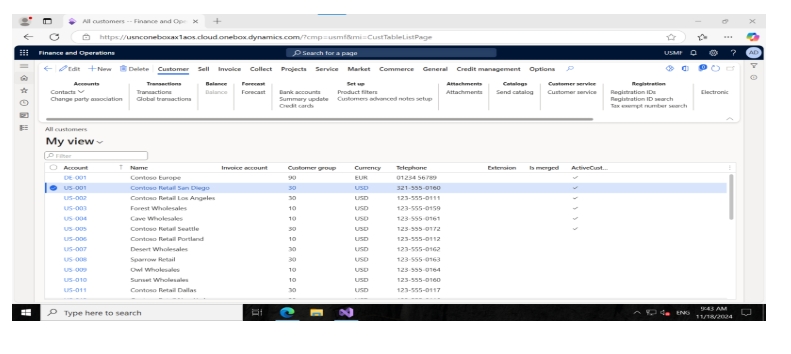
Output
When the Currency is EUR you can see the balance button enabled.