When a file content is being inbounded from external sources to dynamics, to test this we can create an XML file and add the base64 string to the XML file by converting it in online using File to base64 converters.
High level resolution steps
- Add a Field to the respective entity .
- Create an extension class for entityview and add the logic in the insertEntityDataSource.
- Import the entity to attach the file.
Detailed resolution steps
Step1: Add a field “File Content” to the entity where the import is happening.
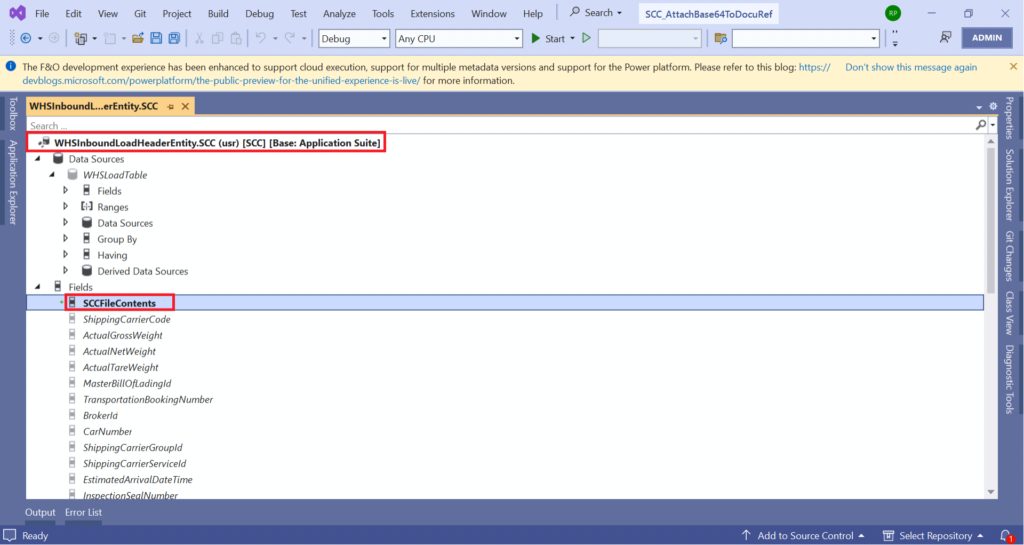
Step2: Create an Extension class for the entity and add “insertEntityDataSource” method and add the logic to call the code to attach the file.

[ExtensionOf(dataentityviewstr(WHSInboundLoadHeaderEntity))]
internal final class SCC_WHSInboundLoadHeaderEntity_Extension
{
///
/// This method is to attach the file content immediately after record is inserted.
///
/// DataEntityRuntimeContext
/// DataEntityDataSourceRuntimeContext
/// Code Explanation:
- Extension of “dataentityviewstr” is created for “WHSInboundLoadHeaderEntity”.
- A COC method “insertEntityDataSource” is created to map the filename.
- If the filecontents are available call the method ‘sccAttachFileFrombase64()’ to attach the files to the record.
Output:
Add the FileContent to the XML file in the base64 str format.
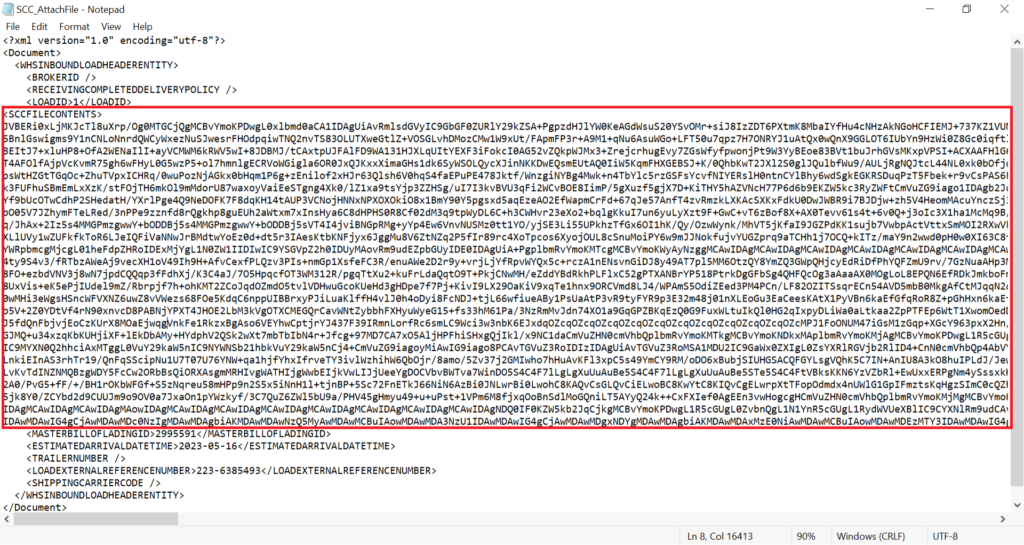
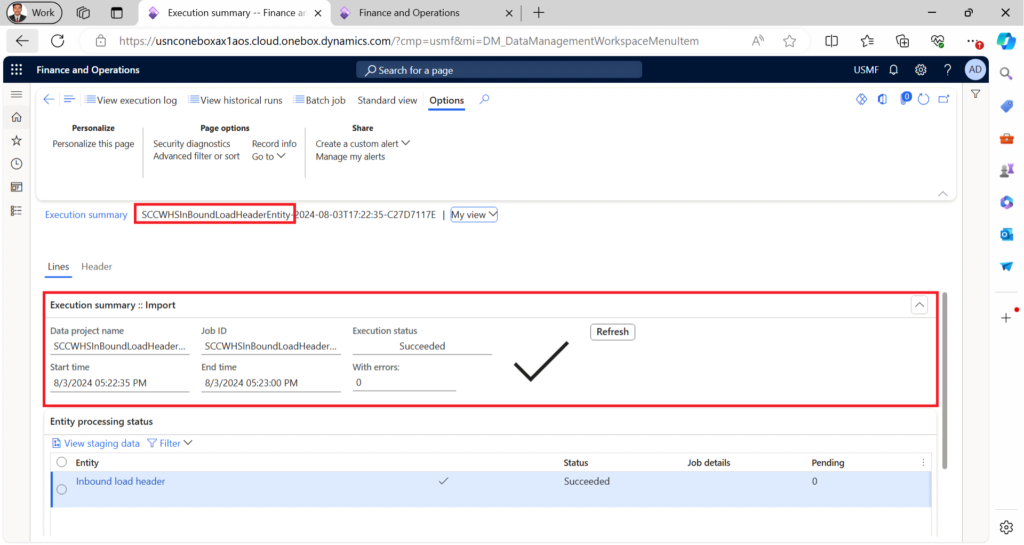
Import the XML file for the WHSInboundLoadHeaderEntity.
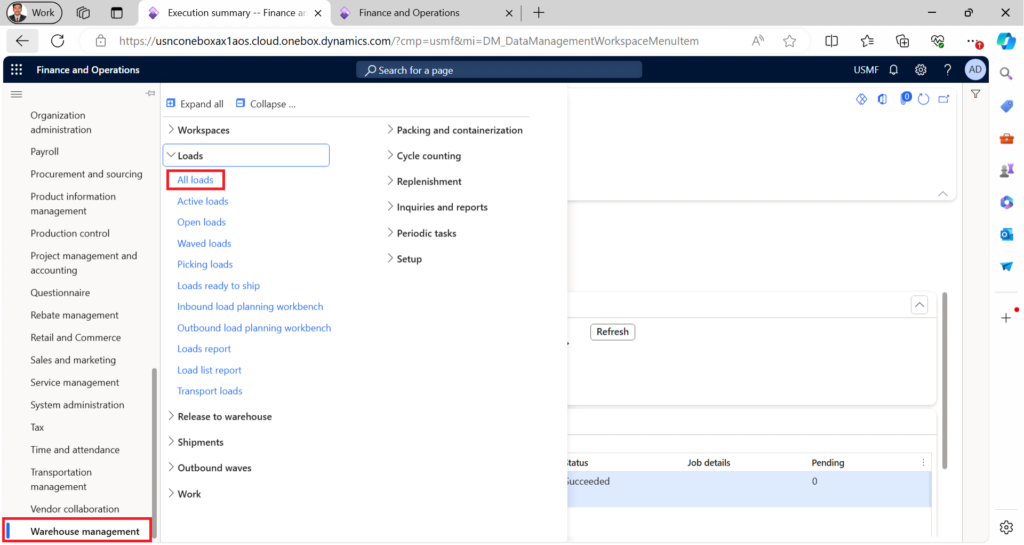
Navigate to Warehouse Management -> Loads -> All Loads
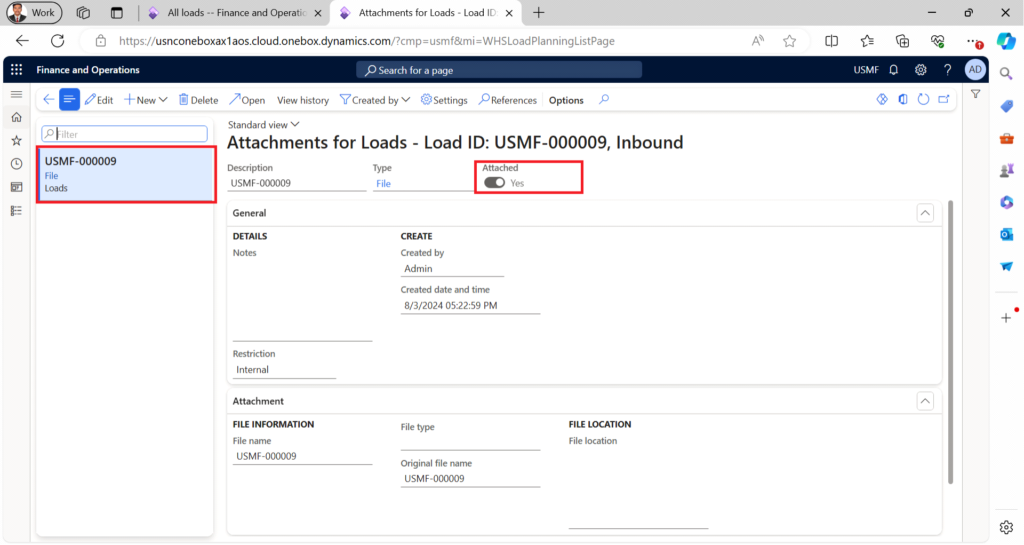
Select the Load ID created and open the attachments node.
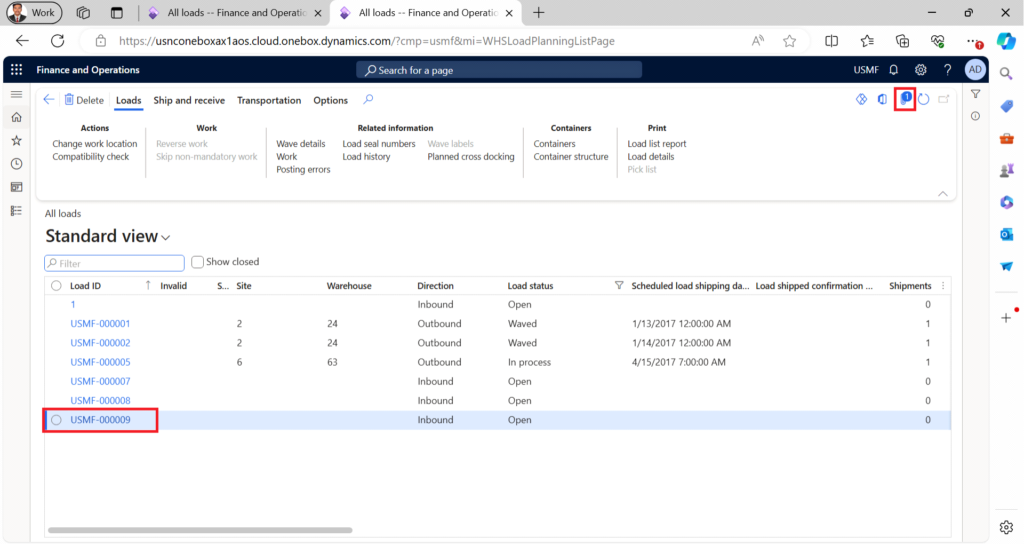
The file attached through the XML can be found here.