To sync the data from D365 FinOps to Dataverse we can make use of Power Automate to get
data events logic.
High level resolution steps
- Activate Data events in D365 F&O
- Create a Power Automate Flow
- Make Sure Virtual entity configuration is established.
Detailed resolution steps
Step 1: Activate Data events in D365 F&O for the desired entity in the location as shown below:

Step 2: Create a Power Automate Flow for the Virtual entity in the Dataverse, so that endpoints get activated.

Endpoint Activation in D365 FinOps:

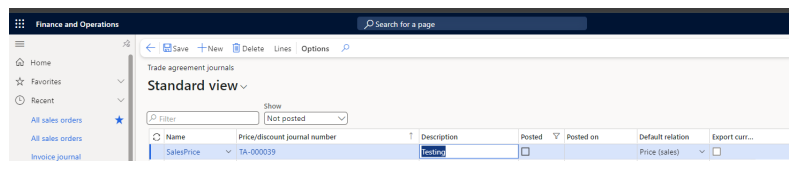
Step 3: Create a Trade Agreement Header in D365 FinOps and make sure the flow gets triggered now:
Flow has been triggered:

Output
Now the data is available in virtual entity of Trade Agreement Header for the newly created Trade
Agreement header that was created from D365 FinOps: