Pop-up Screen in Power Apps
Problem statement
In Power Apps, we can navigate to different screens by using the Navigate Function. But we can’t directly use the pop-up screen for Power Apps.
A simple step to create a pop-up screen in power apps as explained briefly below.
Resolution
We can control the visibility of the controls in the Power Apps using a variable. By controlling the visibility of the control, we can easily create a pop-up screen in Power Apps.

Declare the Variable where you want to show the pop-up screen. I have declared a global variable in a button’s “On Select” Property. Please refer to the image below.
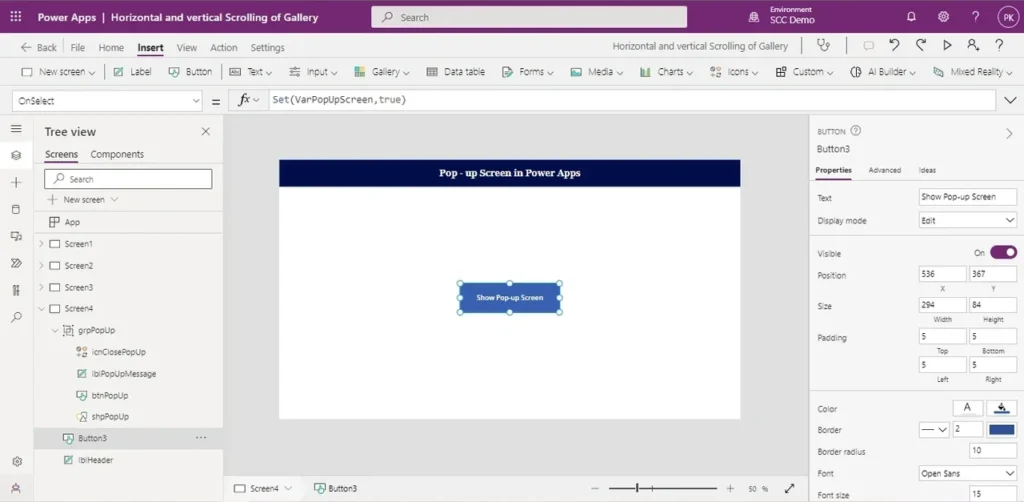
Add the Controls (label/Text input/Dropdown/image) you want to display in the pop-up screen. In the image below, I have added a simple label that says welcome. Group all the controls in the pop-up screen and change the visibility to the Global variable as we declared in the previous step.